
















Stable
Leverage on the infrastructure that
delivers stable (consistent) and high
quality connections.

Reliable
Lower the possibility of telco networks impeding operations with a network
engineered to serve businesses.
Fast
Optimise operations with a
network that functions at
lightning speed.

Value
Great deals for SMEs
Get Your Office WiFi Now
FAQ
Subscription
1. What documents are required for subscription? >
You are required to submit or upload a copy of:
I. Your MyKad (or passport if you are not Malaysian).
II. Form 9 (local company);
III. Form 79, Form 80, Form 80a, Form 83 or Form 83a (foreign-registered company) OR Certificate of Practice issued by
the relevant authority (NGO/Association/Cooperative)
IV. A copy of the front of your credit card for verification purposes if you wish to opt for the Auto Debit payment method.
2. What fees do I need to pay if I decide to subscribe? >
You may be required to pay the following one-time service fees, which will be included in your first bill:
I. Special Building Requirement Fee - subject to your Building Management.
II. Deposit (foreign-registered company) – RM1,000 (refundable).
3. What other services do I get when I subscribe to Time Fibre Business? >
You get one (1) voice line with free calls of up to 300 minutes/month and free mesh WiFi.
4. Can I change my plan at any time during my contract term? >
Yes, as long as it fits your needs. Do note that you are not allowed to downgrade your plan within the first 12 months of
your contract tenure. There are no penalty charges for plan modifications, but any discounts you may currently be
enjoying will not be carried over to your new plan.
The table below illustrates the effect(s) of a plan modification, based on whether or not you opt for a new router to support the new speed you subscribe to.
An upgrade/downgrade is determined by the change in your subscription fee.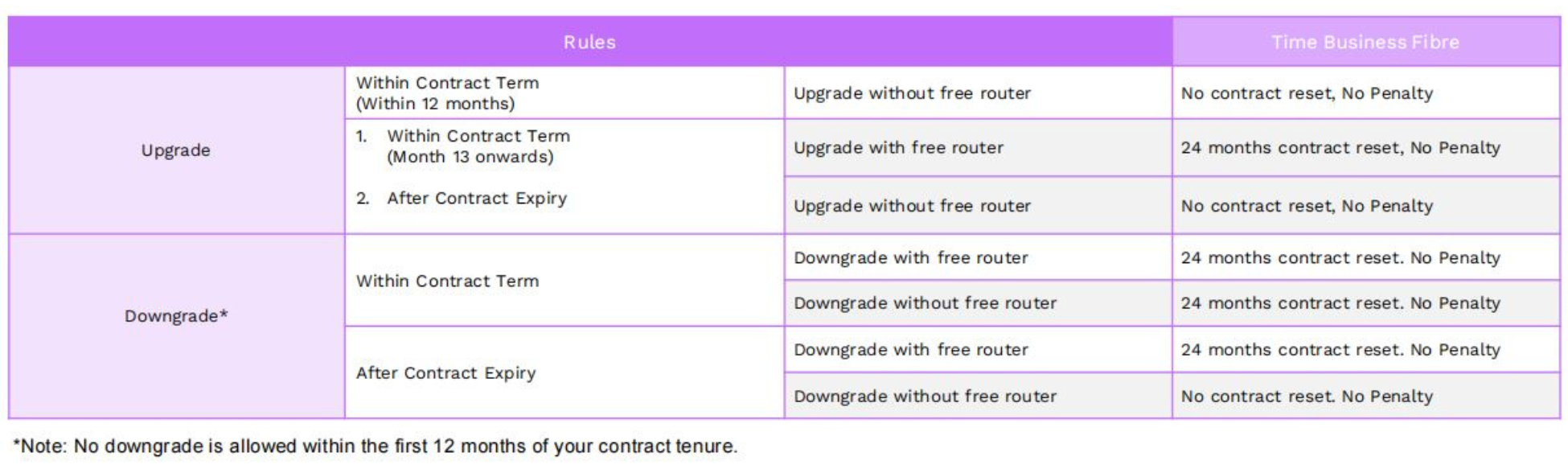
The table below illustrates the effect(s) of a plan modification, based on whether or not you opt for a new router to support the new speed you subscribe to.
An upgrade/downgrade is determined by the change in your subscription fee.
5. Do I get to retain my existing Value Added Services (VAS) if I modify my plan? >
Yes. All your existing VAS subscriptions will remain.
6. Can I cancel my subscription during my contract term? >
Yes you can, however, you will be charged for the remaining months of your contract.
7. How long does it take for Time to cancel my subscription? >
You must provide us with 30 days’ notice of any intention to cancel your subscription by contacting our Customer Helpline via our
Live Chat.
Installation
1. How soon can my service be installed?>
We can get your service up as soon as 3 days after you sign up, but the date and time is subject to availability.
2. How long does it take for Time to install and activate my service?>
A standard installation typically takes about 2 to 4 hours, but the duration will also depend on your building type. Our
installers will get in touch with more information before your appointment.
3. Do I need to pay for installation?>
We provide basic cabling services of up to 20 metres from point-of-entry i.e. main door (6 metres from the socket for
buildings with pre-laid fibre) to the location you have designated for your equipment (e.g. router). Should relocation be
required in the future, charges will apply based on the cabling material and manpower required. Additional charges may
apply for requests beyond the basic cabling services we provide depending on your requirements. Please ask for the
approved rate card to confirm cost to be incurred (if any), which are payable directly to the Time-appointed installer.
4. Can I appoint my own contractor for installation?>
Installations can only be carried out by Time-appointed installers, who are technically trained to provision the service
according to our guidelines.
5. Can I request Time to configure my own router?>
Yes, you can but you will be charged RM80.
Devices
1. What devices are included in the subscription??>
2. How does mesh WiFi extend my WiFi coverage?>
When you place a mesh node in a WiFi dead zone, the node will capture and broadcast the wireless signal and speed of
your router to hard to reach corners of your workspace. By placing mesh nodes in strategic spots throughout your
premises, you can create a seamless, stable WiFi network that keeps your business connected.
3. How do I get these devices?>
You will receive a complimentary router with your new subscription of Time Business Fibre . You’ll also have the option to
add on more devices during the signup process.
If you’re an existing Time Fibre Business subscriber, you can purchase our devices from the Self Care shop or upgrade your plan to redeem free devices.
4. What does a “mesh enabled router” mean?>
A mesh enabled router means the device is equipped with mesh capabilities. A traditional mesh WiFi setup typically requires a mesh node to be placed next to the router to act as a gateway. Since our routers are mesh ready, we eliminate the need for an extra device. All you have to do is place mesh nodes where your WiFi signals are weaker and you’re ready to enjoy strong and seamless WiFi around your business premises.
5. What is WiFi 6 and WiFi 7 and what’s the difference?>
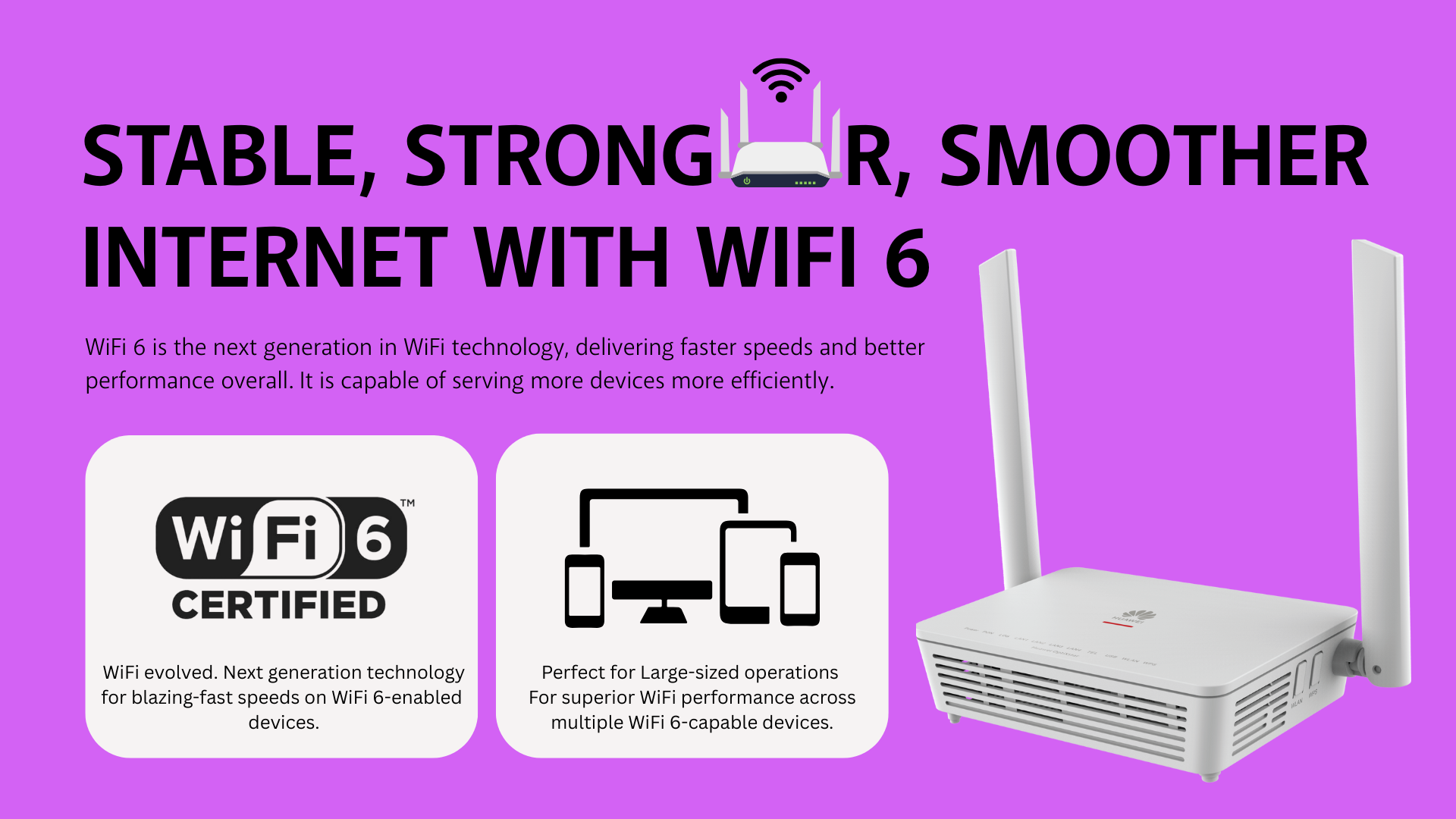
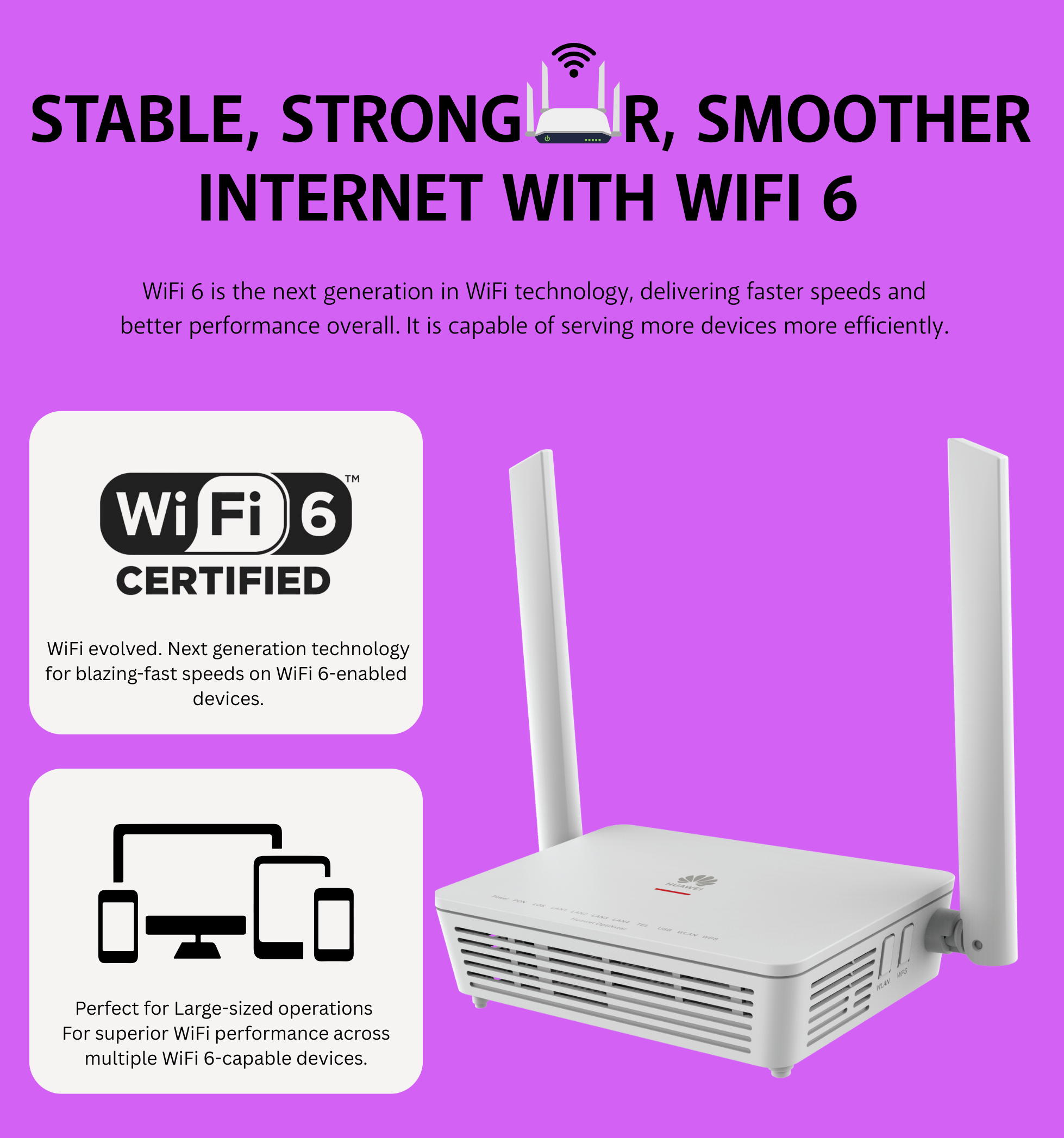
WiFi 6 is the next generation in WiFi technology compared to WiFi 5, delivering faster speeds and better performance overall. It is capable of serving more devices more efficiently. Devices connected to this latest standard have to be WiFi 6 enabled to benefit from the improved technology.
WiFi 7 is the next generation of wireless technology, offering a significant leap in speed, capacity and stability compared to WiFi 6 - like a supercharged WiFi experience! However, to truly unlock these benefits, your personal devices need to be WiFi 7-enabled.
WiFi 7 is the next generation of wireless technology, offering a significant leap in speed, capacity and stability compared to WiFi 6 - like a supercharged WiFi experience! However, to truly unlock these benefits, your personal devices need to be WiFi 7-enabled.
Voice
1. How many voice line(s) are bundled together with the subscription of Time Business Fibre?>
The subscription comes with 1 voice line with no rental charge. If you need more voice lines, you may subscribe for the
Time Basic Voice Line.
2. What is Time Basic Voice Line?>
Time Basic Voice Line is a fixed voice line service that provides incoming and outgoing calls to subscribers. It comes with
2 voice lines with a RM45 monthly rental and domestic calls at RM0.13 per minute.
3. What is the minimum contract period for Time Basic Voice Line?>
The minimum contract period is 12 months with a one-time registration fee. The registration fee is waived for 24-month
contract periods and above.
4. What additional services can I subscribe to in addition to the Time Basic Voice Line service?>
We have three bundled services available for you to choose from:
- Standard VAS – CLIP, Call Forwarding, Direct Dialling.
- Plus VAS – Call Waiting*, Call Barring, Call Transfer*, Call Pick-up*, Multi Conference*, Extension Dialing
(Features may not be available at your location). - Toll Free VAS – 1800 Freephone and 1300 Toll Free.
Warranty
1. What’s the warranty period for the devices?>
Please refer to the table below for the equipment provided and their corresponding warranty period:

2. What happens if the equipment provided by Time becomes faulty, damaged or lost during my contract
period?>
All equipment we provide are covered by a limited warranty during your contract period. Any loss or damage due to
negligence or abuse is not covered under the warranty, and any requests for replacements are chargeable.
Certifications
Certification>
